Geospatial Intelligence Platform

Map. Analyze.
Verify. OSINTEAGLE ATLAS — Geospatial Intelligence

The geospatial intelligence platform by OSINTEAGLE. Capture locations, measure distances, run structured reviews and export verified field reports — fully offline, in a single HTML file.

Download ATLAS ↓ Open app → View Features ↓
OSINTEAGLE ATLAS
OSINTEAGLE ATLAS
50+
Overpass Query Tags
5
Export Formats
4
Map Layers
1
HTML File
Core Features

Powerful Capabilities.

Everything for geospatial OSINT analysis. Offline capable, no installation.

Location Capture

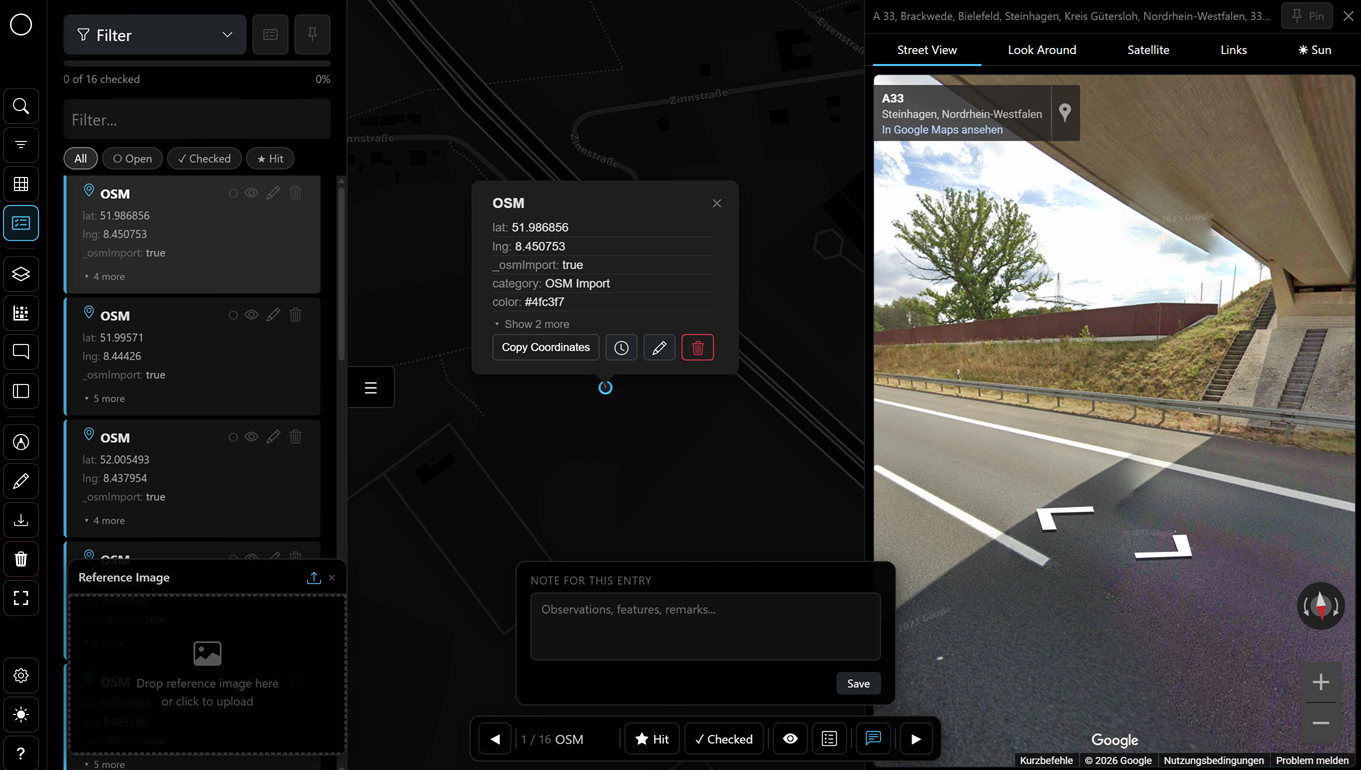
Click on the map → confirmation popup → icon, color and title. Instant Street View and satellite view.

Geolocation
Street View

Automatic road detection via Overpass API. Draw camera field of view (FOV) and calculate sun position.

Street View
Review Mode

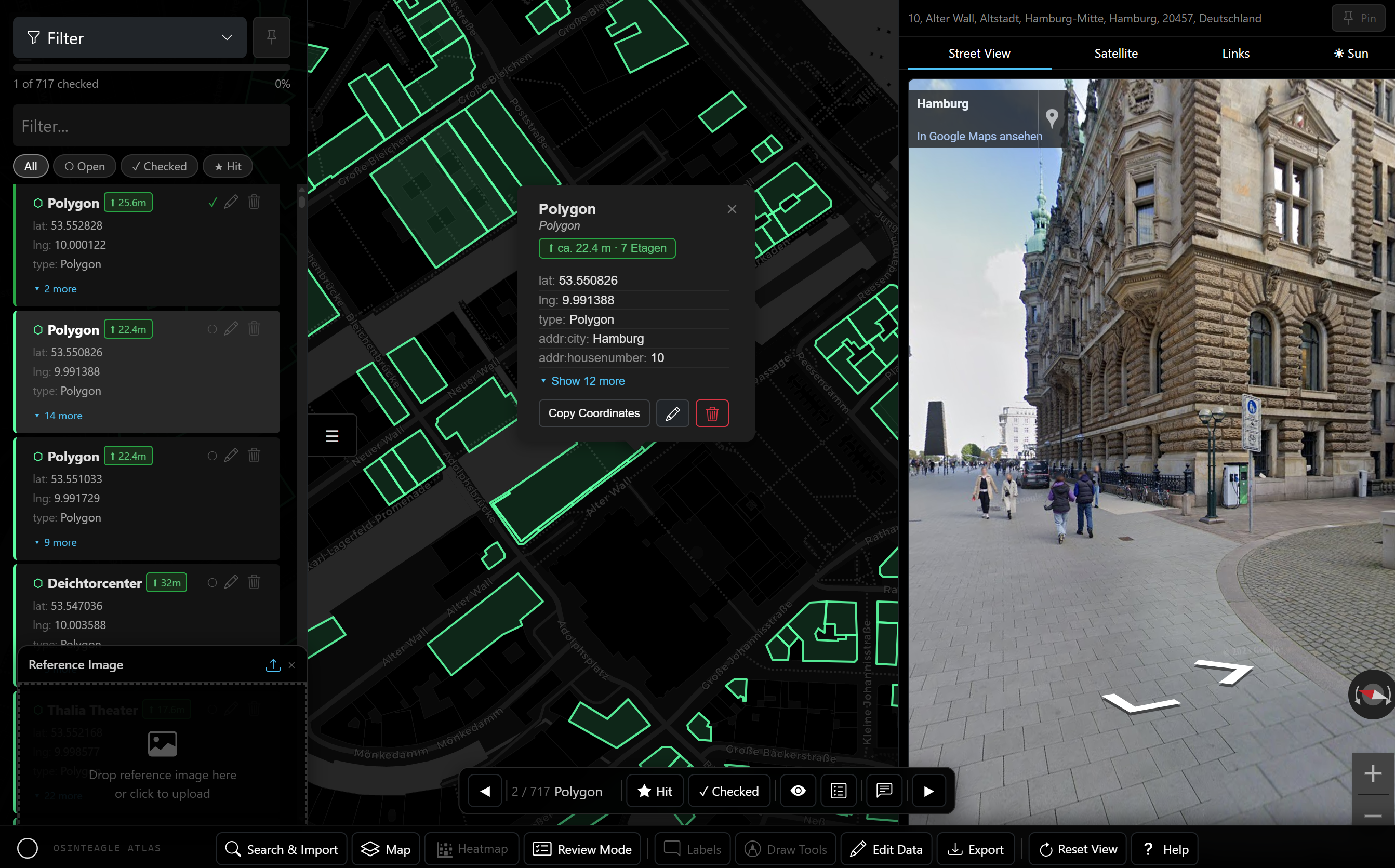
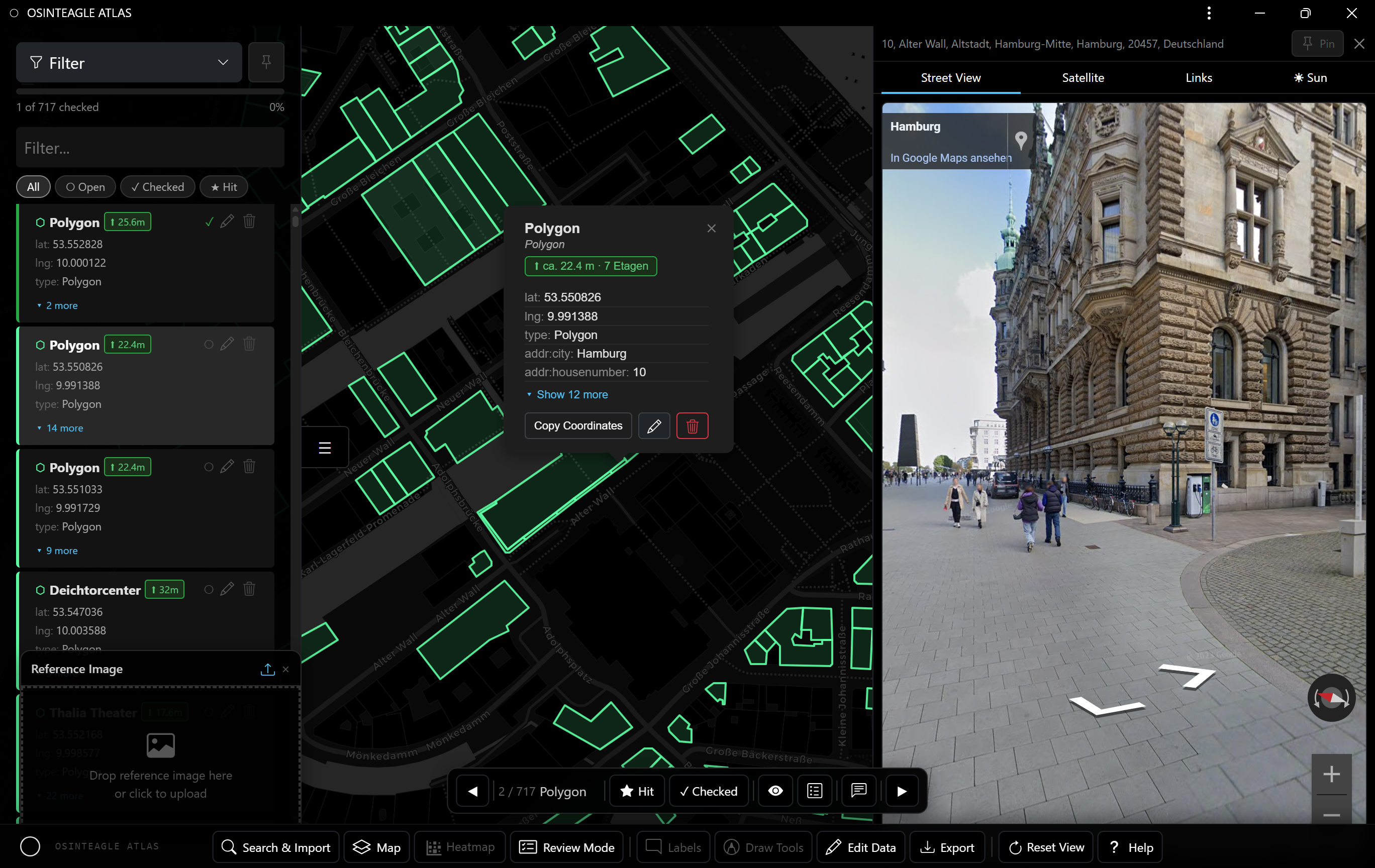
Systematic verification: navigate by keyboard, mark as hit (★) or checked (✓), save notes.

Review
Coordinates

Convert DD, DMS, DDM, UTM and MGRS at the touch of a button. Transfer from the center of the map or display immediately.

GEO
4 Map Layers

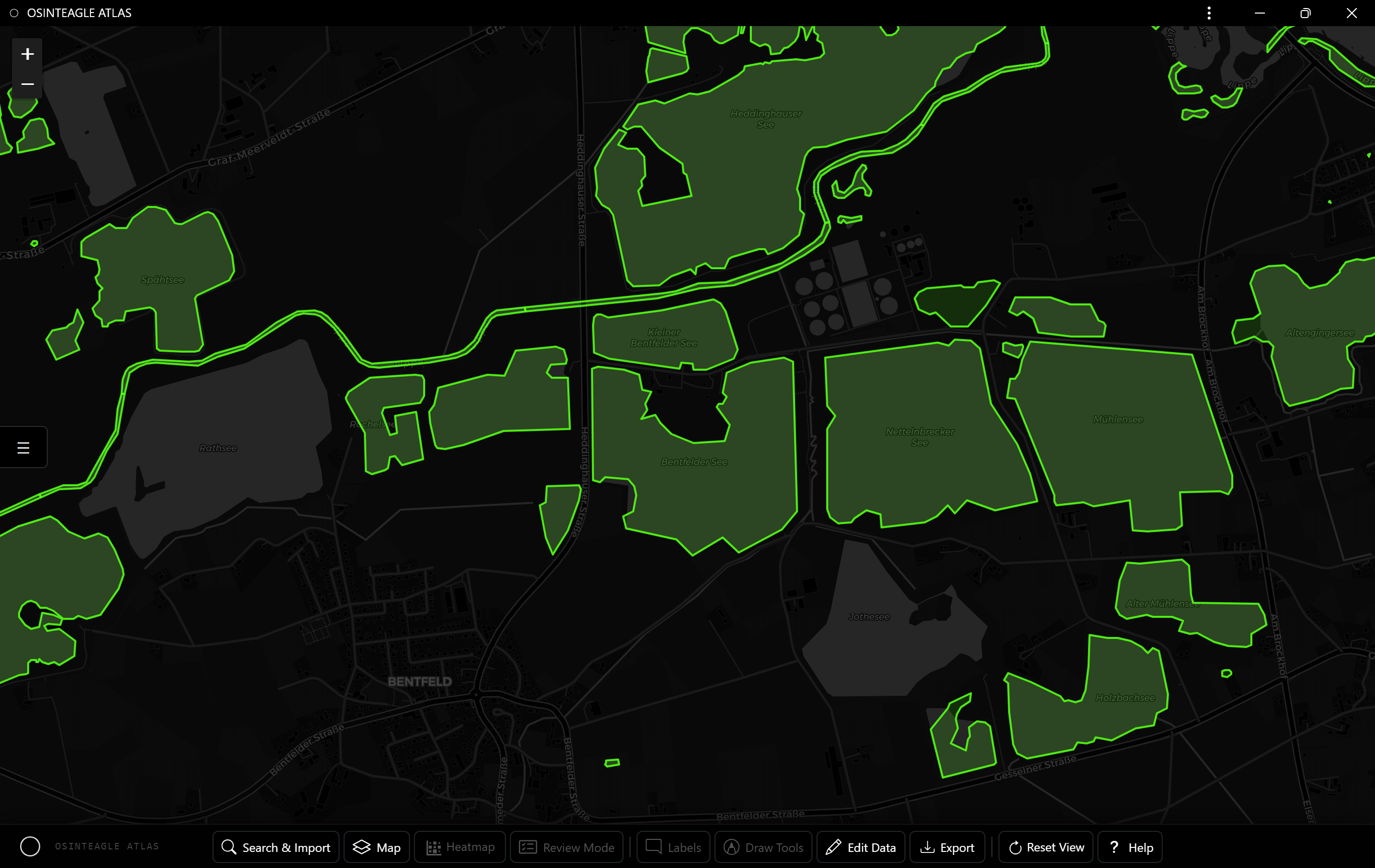
Dark, Light, OpenStreetMap, Satellite — one click. Heatmap overlay. Timeline filter with histogram.

Maps
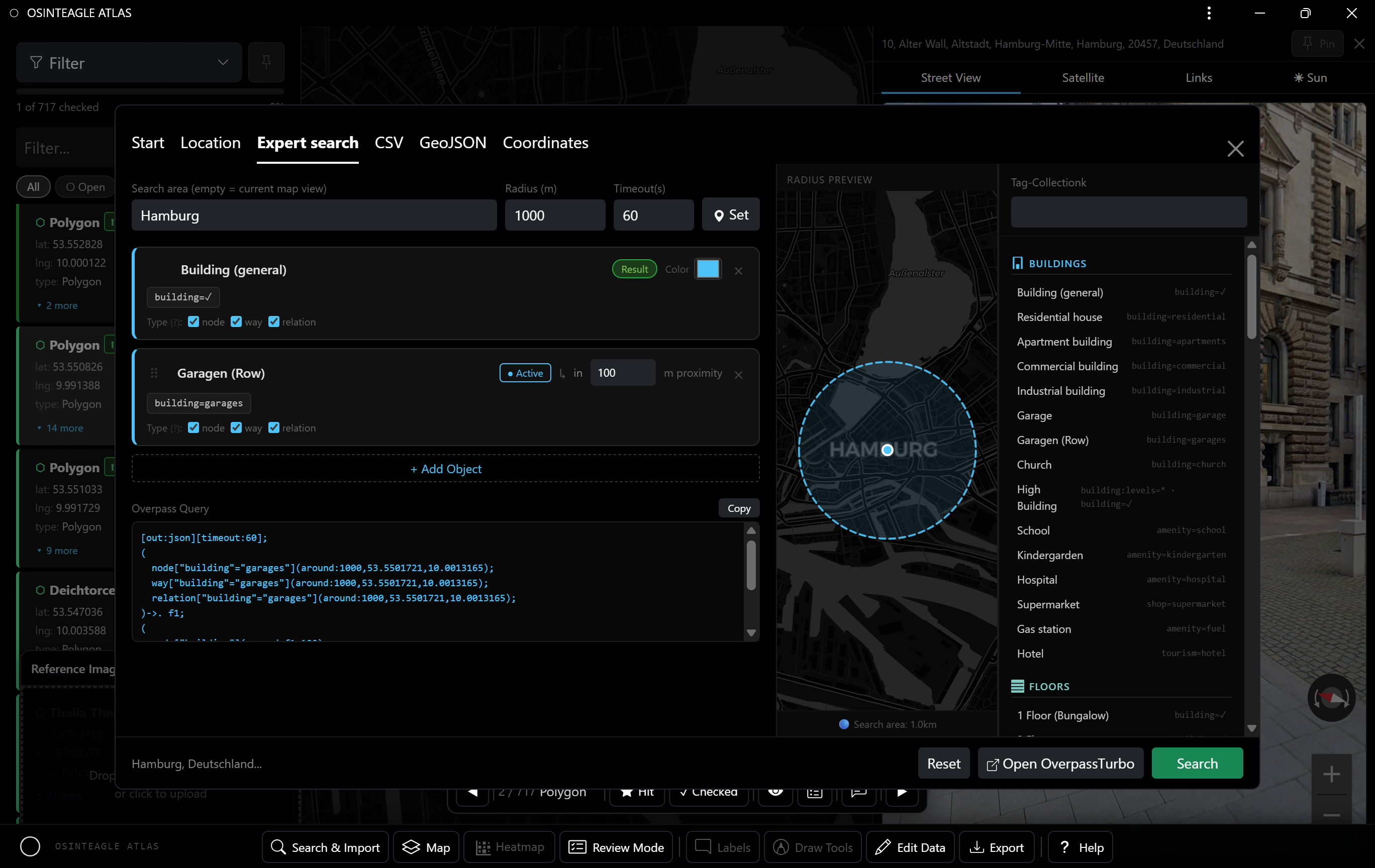
OSM Overpass

Query builder with tag library and TagFinder integration. Import results directly as map entries.

Overpass
ATLAS — Draw Tools
ATLAS — Draw Tools

Measure.
Draw.

Measure and annotate directly on the map — precise, fast, exportable.

  • 01Distance, radius, area — measure directly on the map
  • 02Azimuth & text — annotate with the color picker
  • 03Enter — finish a drawing, Esc to cancel
  • 04Edit mode — click a shape to delete
ATLAS — Review Mode
ATLAS — Review Mode

Verify.
Document.

Go through all entries systematically, evaluate and export a field report.

  • 01Enter — ★ mark as hit + save note
  • 02Space — ✓ mark as checked + save note
  • 03← → — navigate between entries
  • 04Verification board — all hits at a glance + HTML field report
ATLAS — Import/Export

Data in.
Reports out.

Compatible with QGIS, Google Earth and all common geo tools.

  • 01CSV import — drag & drop, requires lat/lng
  • 02GeoJSON import — points, lines, polygons
  • 03Export — CSV, GeoJSON, KML (QGIS/Google Earth)
  • 04HTML field report — interactive map, recommended

Ready to Map
the Ground?

ATLAS is free and open — a single HTML file. Download it and start mapping right away.

Download ATLAS on GitHub ↓
Free & open Single HTML file Fully offline No installation