Board view (Kanban)
With the board view you display your entities and their relationships clearly as a Kanban board. You organise tasks, information or research steps in clearly separated columns and see the progress at a glance. By moving cards between columns you adjust the status flexibly – bringing structure and transparency especially to complex, collaborative projects.
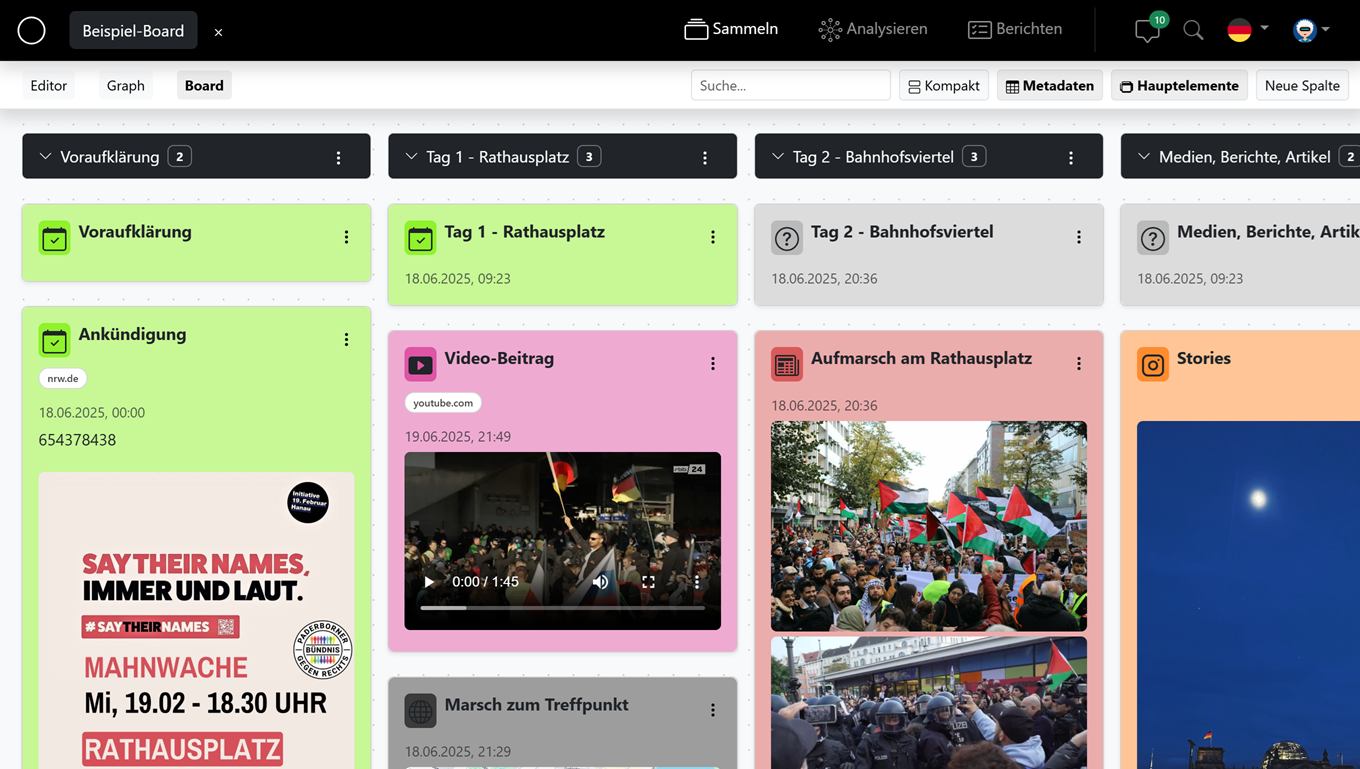
Cards & columns
Each entity appears as a card. The cards are organised in columns; the default column "Main elements" holds your top-level entities. Use the columns to represent, for example, work phases or a status.
Create & manage columns
Add more columns with "New column". Use "Collapse/expand column" to reduce full columns to the essentials and keep an overview even with many cards.
Move cards
Drag a card into another column to adjust its status. An empty column prompts you with "Drag a card here" to show that you can drop cards there.
Adjust the view
Adapt the display to the way you work:
- "Compact" – shows the cards in a space-saving way.
- "Metadata" – shows structured metadata directly on the cards.
- "show more" / "show less" – expand or collapse longer card content.
- Search – quickly filters the cards by a term.
Jump to editing
Via "Open in editor" you switch from a card straight into the full editing of the entity in the editor.