Creating & managing a research
A research is the top-level container for a case: all entities, media, graphs and reports belong to exactly one research. This keeps different cases cleanly separated from one another.
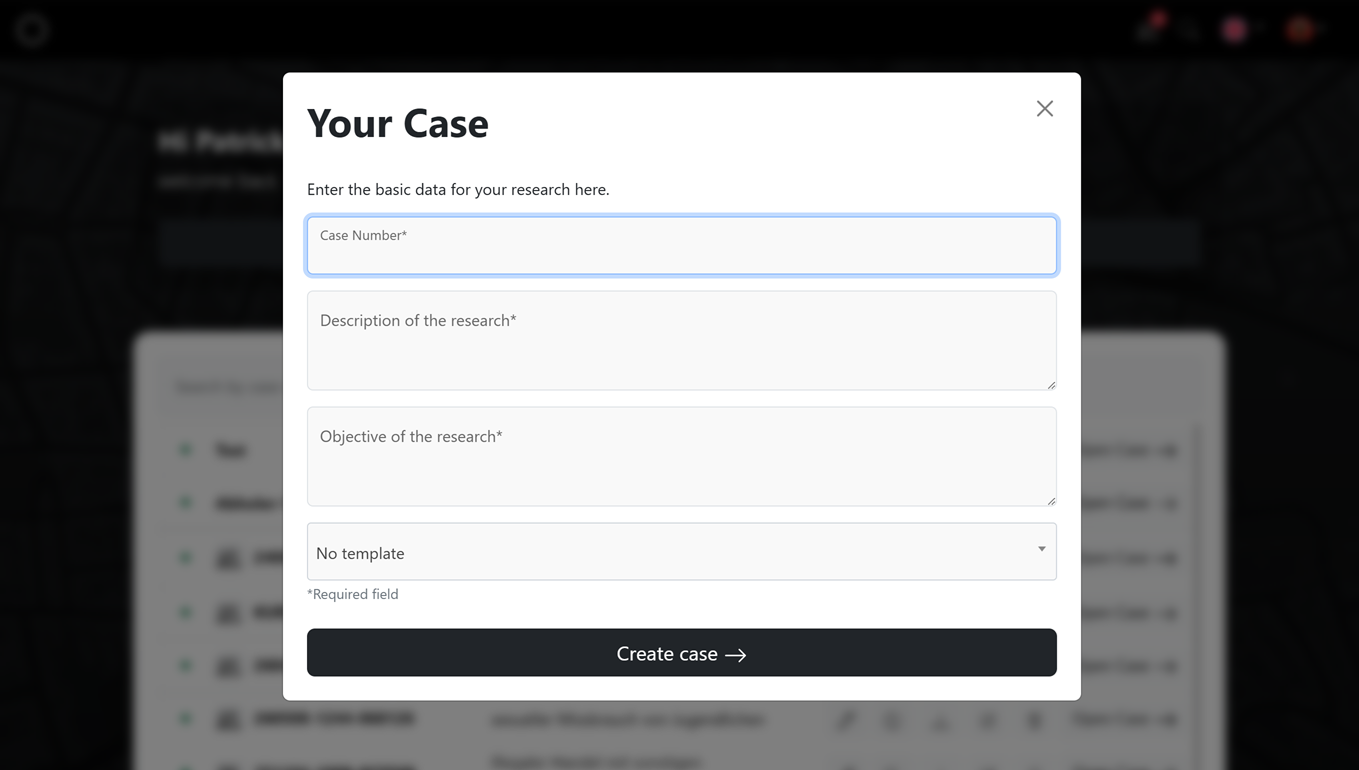
Creating a new research
Click “New research”. In the “Your research” dialog, enter the base data:
- File / case number – a unique identifier for the case (required)
- Description of the research – what is it about? (required)
- Objective of the research – what should be achieved? (required)
- Template – optionally a template as a starting point (default: “No template”)
Click “Create research” to create the case and open it directly.
Using templates
Templates give your research a predefined structure – for example typical entities or board columns. This lets you start recurring cases faster. Templates/workflows can be exported and imported to reuse them or share them within your team.
Switching between researches
You can see the currently open research in the tab at the top. Use the “×” to close it. When reopening, select the research you want from the overview.
Data & storage
All data of a research is stored exclusively on your device – the provider has no access to it. Create backups regularly to prevent data loss.
Next steps
- Capture findings → Capturing entities
- Add images, videos & posts → Media & posts