Collect
Import data (CSV/JSON)
Via "Import Data" you bring data from other tools into your investigation as CSV or JSON and map the columns to the system's fields.
Upload a file
Open the "Import CSV and JSON" dialog and select your file. CSV and JSON exports from common tools are supported.
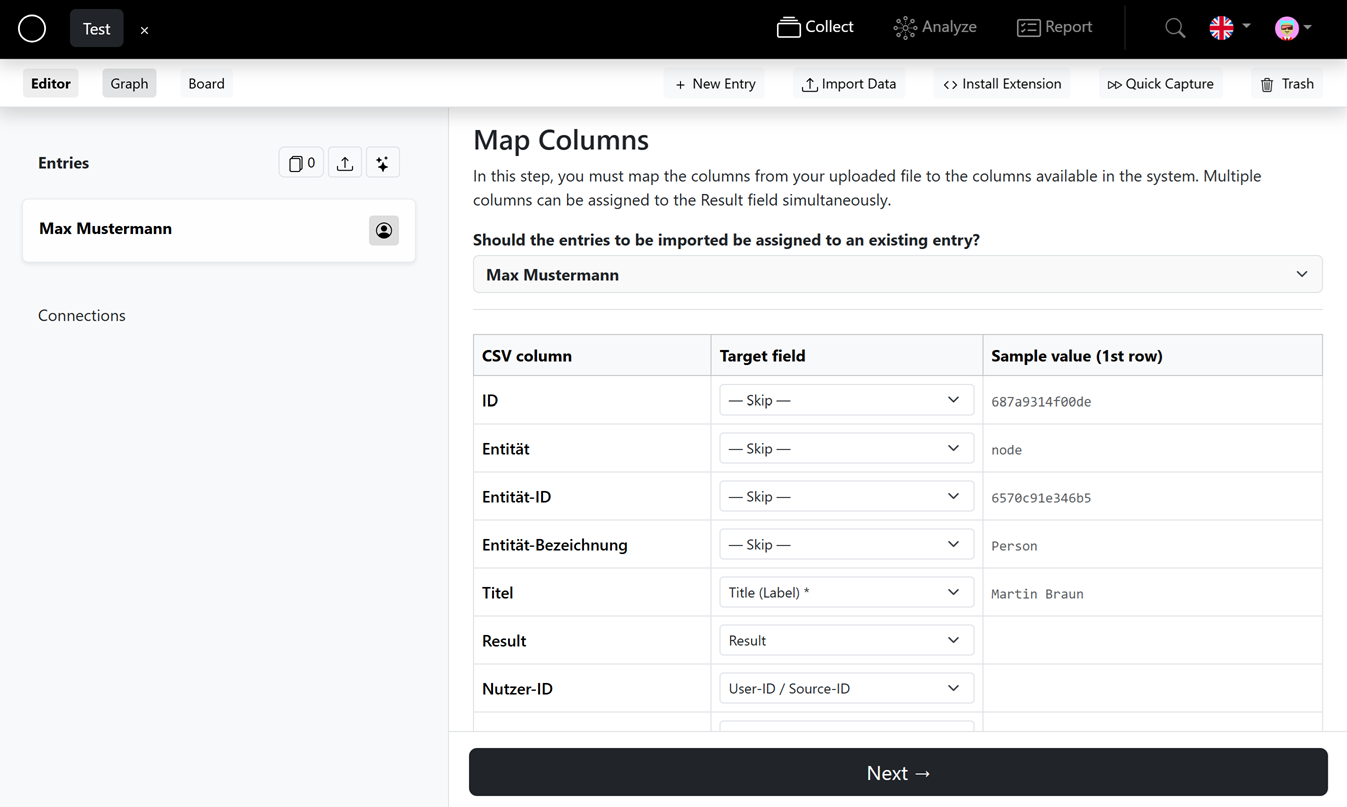
Map columns
In the "Map columns" step you connect each column of your file to a target field in the system. The table shows the CSV column, the target field and a sample value (1st row).
- At least one column must be mapped to the "Title (label)" field.
- Leave columns you don't need on "— Do not map —".
Multiple columns into the result field
Several columns can be mapped to the result field at once. Choose the format:
- "Field name: value" – e.g.
First name: Max | Last name: Muster, - "Value only" – values are separated by a blank line.
Preview & import
The preview (1st record) shows how an entry will look. Once everything fits, start the import – each row of your file is created as an entity.