Report & Export
Create & export the investigation report
The investigation report summarises your entire investigation in a structured document. You customise its content flexibly and export it as PDF or Word.
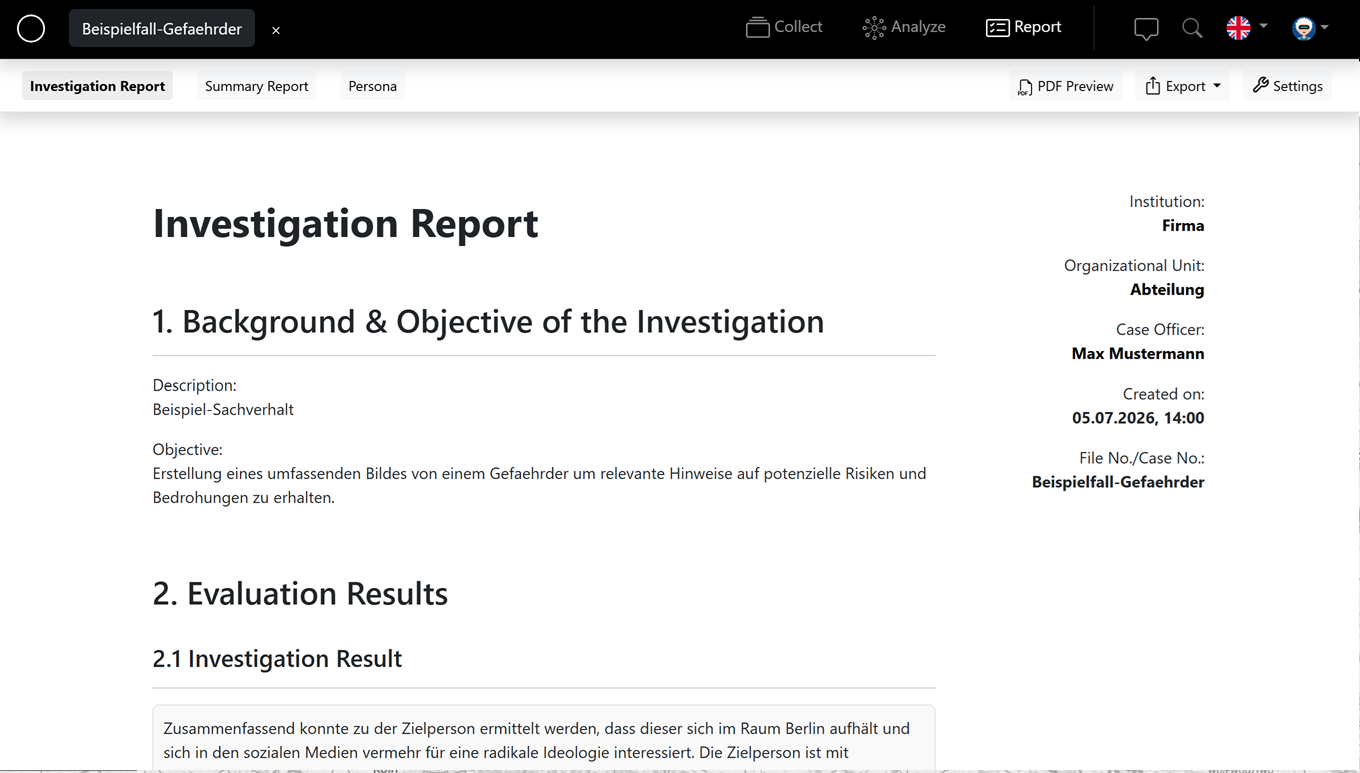
Structure
- Background & objective – description and goal of the investigation.
- Evaluation results with the investigation result and the graph.
- Research results – all entities with media, metadata and sources.
- Appendices – including relationship, source and figure indexes, timeline and the integrity record (chain of custody).
Settings
Use the report options to control what the report contains – for example:
- Hide: background, entity types, media, metadata, graph, cover page or investigation result.
- Show: notes, draft watermark; images in two columns.
- Append: relationship index, source index, timeline, integrity record, figure index.
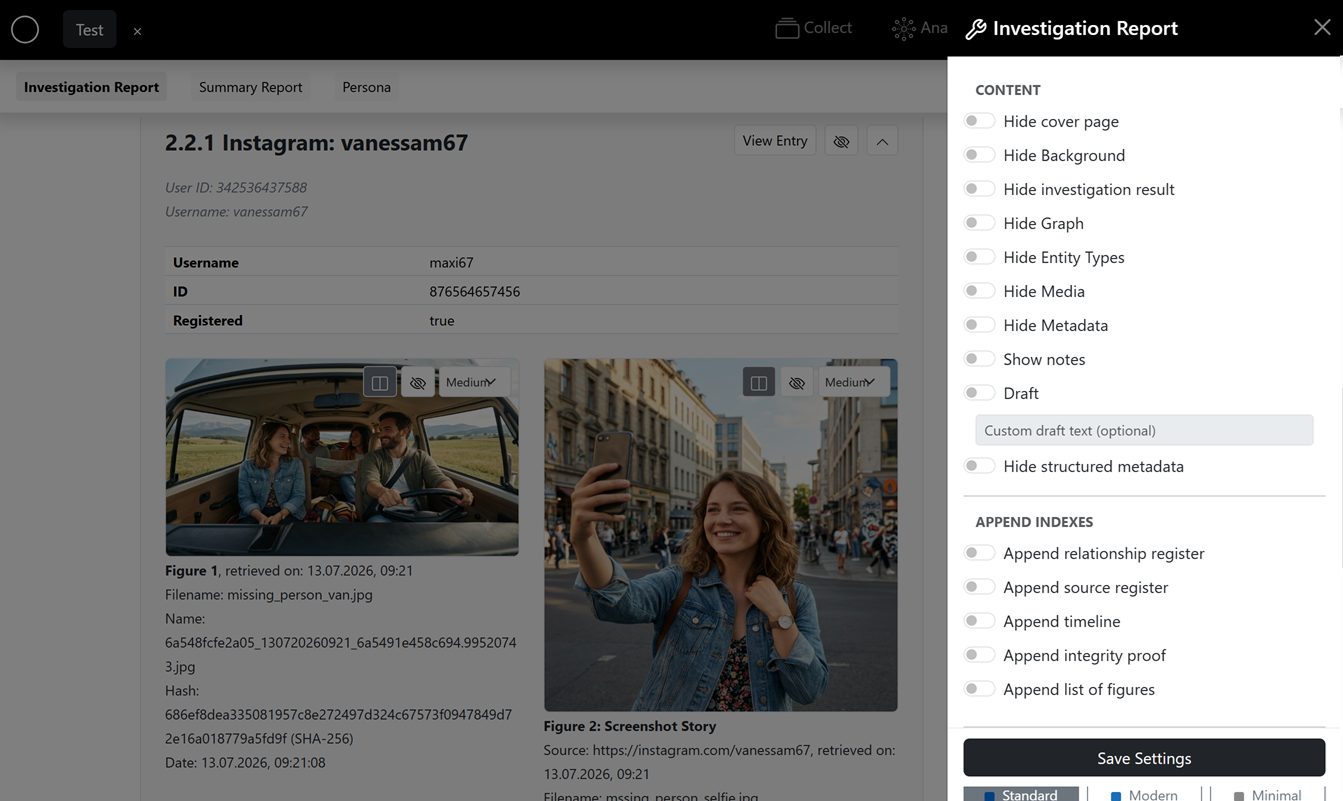
Layout themes and an accent colour are also available; header data (company, department, case worker), logo and signature come from your settings.
Export
Export the finished report as PDF or Word. With "Send via link" you send the report or graph as a protected, single-use download link – the password is shown to you once and you pass it on separately.