Metadata – structured fields
With metadata you flexibly capture structured extra information about an entity – as freely chosen key-value pairs. This lets you document e.g. WHOIS data, profile details or technical attributes in a clear and consistent way.
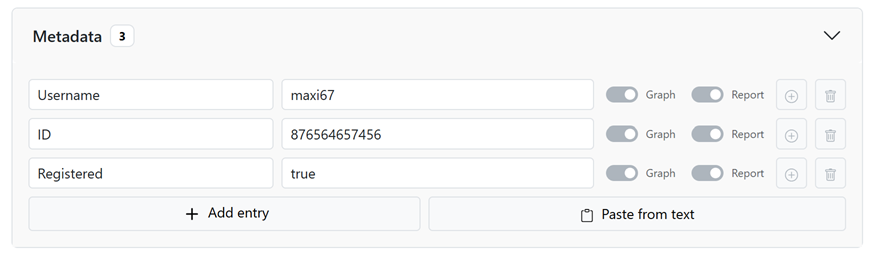
Add entries
Open the "Metadata" section and click "Add entry". For each row, enter a "Key" (e.g. Registrar) and its "Value" (e.g. GoDaddy). You can add as many rows as you like.
Paste from text
If you already have a list, use "Paste from text". Each line is interpreted as "Key: value" or "Key = value"; blank lines are skipped. The preview shows the result; with "Apply" you insert all lines at once.
Visibility: graph & report
For each row, the "Graph" and "Report" toggles control where the entry appears. This lets you hide internal details from the report without deleting them.
Convert a value into an entity
If a metadata value is itself a standalone object (e.g. an email or a username), convert it into its own entity via "Convert to entity" – it is automatically linked to the current entity.
In the report
Visible metadata appear as a clear, structured table on the respective entity. If needed, they can be hidden via the report options ("Hide structured metadata").